Talk with an AI journalist
Tell your story in a voice conversation. The AI journalist follows your answers with questions that help you recall the details. Real-time voice is preparing for release.
We organise your words, without rewriting or inventing details.Talk with an AI journalist, send your original words, or upload a recorded conversation.

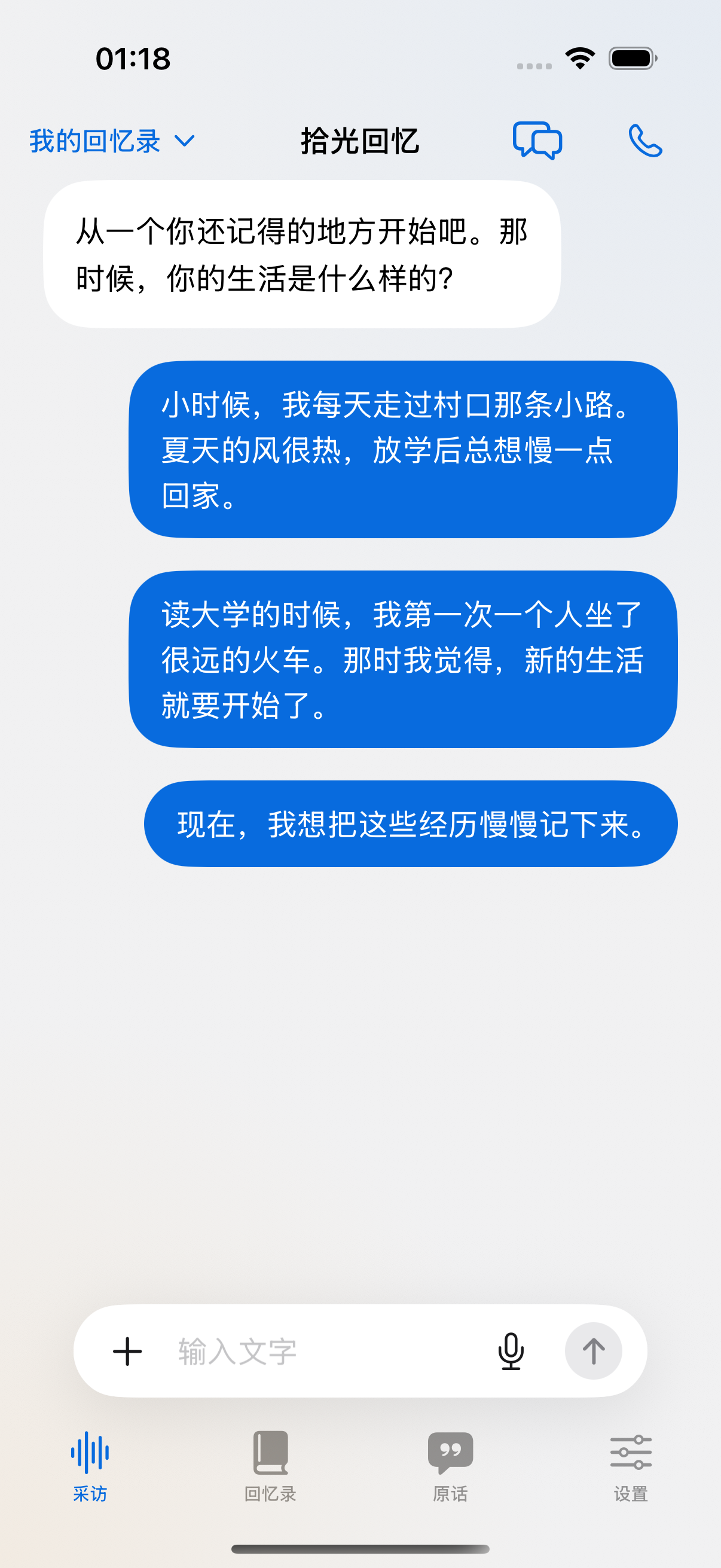
“I still remember
that walk home.”
Talk with an AI journalist, send your original words, or upload a recorded conversation. Choose any way to begin, and switch whenever you like.
Tell your story in a voice conversation. The AI journalist follows your answers with questions that help you recall the details. Real-time voice is preparing for release.
Send memories as text or voice messages, at your own pace. Your words are kept as separate records that you can revisit, check and organise into a memoir.
Import recordings of conversations with family or friends. Review the transcript before turning it into a memoir. The original audio stays available to play back.
We organise your original words without rewriting or inventing your experiences. Three roles work together on interviewing, archiving and arranging chapters. Your original records stay separate, with sources retained for the memoir.
Where did you like to play as a child?
There was a big tree outside Grandma’s house. In summer, I would wait for her under it, holding the ice pop we had just bought.
What sound takes you straight back home?
Dad always hummed while he cooked, the same few lines over and over. Now, whenever I hear that song, I’m back in our kitchen.
Do you remember the first time you left on your own?
When I first left for university, Mum checked my luggage several times. Only after the train pulled away did I find the biscuits she had tucked inside.
Your original words, recordings and memoir are saved on your device by default. You choose when to export, back up or share them.
Your original words, recordings, photos and memoir are saved on your device by default. Your records belong to you; you choose when to export, back up or share them. Make a backup before removing the app or changing devices.

Export a memoir as Word, Markdown or HTML to read or share it. Use a complete backup to restore your records. Ordinary document exports do not include the original audio.
Original records preserve your narration. Online interviews, transcription and cloud sync process the content required by the features you choose to enable.
Your original records are preserved in full. The memoir arranges them into chapters and paragraphs without replacing your wording or inventing experiences. Revisit the source of arranged passages and confirm transcription corrections.
Online interviewing and organisation send authorised text; cloud transcription sends the audio you select. These features require activation or confirmation so you can review the relevant service first.
Documents and backups are generated on your device. Choose their destination with the system file picker or share sheet. Exporting does not automatically upload them to the cloud.
Availability, recording, organisation and supported devices.
Star Memoirs AI is preparing for release. Official downloads are not available yet. Verified download links will appear here when the app launches; you can also contact support for release information.
Choose any way to begin: talk with an AI journalist, send text or voice messages in your own words, or upload an existing conversation recording. Use one method or switch between them; your original records are kept separately. Real-time voice is preparing for release, and online interviews and transcription need their respective services enabled.
We do not rewrite your account or invent details. We arrange the saved original words into chapters and paragraphs while preserving your wording and expression. Original records stay separate, and arranged passages remain traceable to their sources. Transcription corrections and combining repeated or conflicting accounts require your confirmation.
With their permission, help family members tell their stories, send their original words or import conversation recordings. For recordings with several speakers, review speaker assignments and the transcription before using the material.
Text records, local materials, and reading can be used first. Online AI, transcription, real-time voice, and cloud sync require their respective services and permissions, with availability depending on the version and device. Real-time voice is still being prepared.
The app is developed for iOS, Android and HarmonyOS, with Chinese, English, Japanese, Korean, Portuguese and Spanish available in Settings. This website offers the same six languages. Device compatibility will be confirmed at release.
The Android and iOS versions are preparing for release. The download buttons will link to verified installers or store pages when they are available. Contact support with product questions.